| |
Hollywood Elementary School |
| |
|
Dear Hollywood Families,
I hope you're making the most of these final summer days! Our team at HES has been busy preparing the building for another wonderful year! As we prepare to welcome everyone back, I wanted to share some helpful information to get us ready for a smooth start to the school year.
Your student's classroom assignment will be available in HAC beginning August 21st, after 5 PM. Please keep in mind that teacher information showing in Clever and Schoology may change—the confirmed class placements will appear in HAC on August 21st. If you'd like help getting into HAC, we'll have a support table available in the cafeteria during Open House on August 24th to assist you.
Strong communication between school and home makes such a difference in our students' success. I'm committed to keeping you in the loop about important dates, events, and school news. We'll stay connected through multiple channels—including Apptegynews letters, our school webpage, email, and Schoology. Please take a moment to make sure we have your current contact information on file.
I encourage you to read through each week's newsletter carefully—it's packed with valuable resources and updates you won't want to miss. I can't wait to see you all soon! Enjoy the rest of your summer, and let's work together to make 2026-27 an amazing school year! Warmly, Mrs. DiRenzo |
Important Dates and Events |
- August 21: HAC opens at 5pm
- August 24: Open House (Kindergarten - 5th Grade 2 - 3:30 pm)
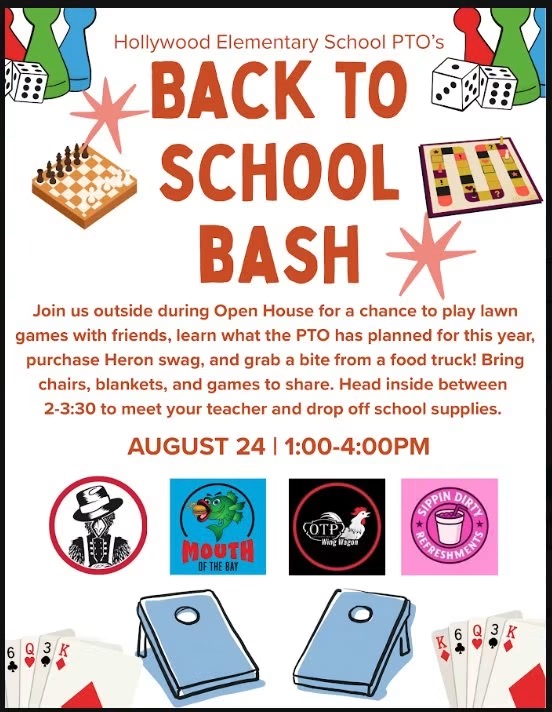
- August 24: PTO Back to School Bash (1:00 pm - 4:00pm)
- August 26: First Day of School K - 5th
- August 26: Pre-K Orientation (10:00 am)
- August 27: First Day of School Pre-K
-
September 7: No School - Labor Day
|
Do you have a child—or know a child—who will be 5 years old by September 1, 2026? It's time to register for kindergarten at Hollywood Elementary School!
If your child is eligible, please contact HES as soon as possible to complete registration. We can't wait to welcome our newest Herons and help them soar into an exciting school year! Please share this post with friends, family, and neighbors to help us spread the word! |
HES Open House - August 24th 2:00 - 3:30pm Kindergarten thru 5th Grades |
Pre-K Open House/Orientation August 26th at 10:00am |
Home Access Center will open on Friday, August 21st after 5:00 pm. Home Access Center allows parents and students to view student registration, scheduling, attendance, report card grade information, testing information and transcripts. Daily assignment information and their scores will be viewed in Schoology.
Please try the “Forgot My Username or Password” link if you have forgotten either of these. This link will only work if you have an email address on file and you have already set up Challenge Questions. Please contact your school if you need further assistance. SMCPS does not currently utilize the “Click Here to Register with Access Code” link. |
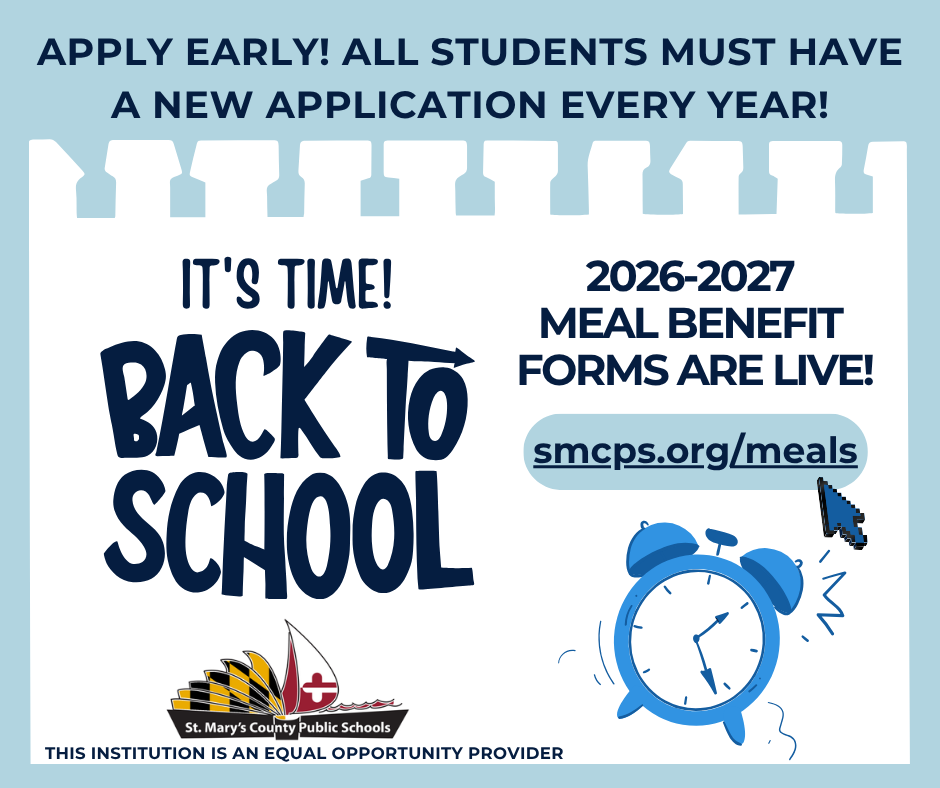
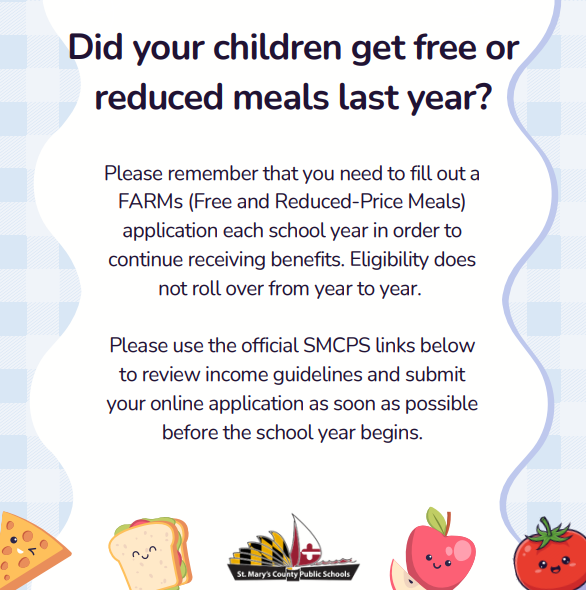
Very Important: School Meal Benefits Do Not Roll Over
Did your children receive free or reduced-price school meals last school year? Please remember that a new FARMs application must be submitted every school year to maintain eligibility. Benefits do not automatically carry over from year to year. To prevent any gap in your child's meal services when school starts, please take a moment to fill out the annual online form. Click the application link below to get started. |
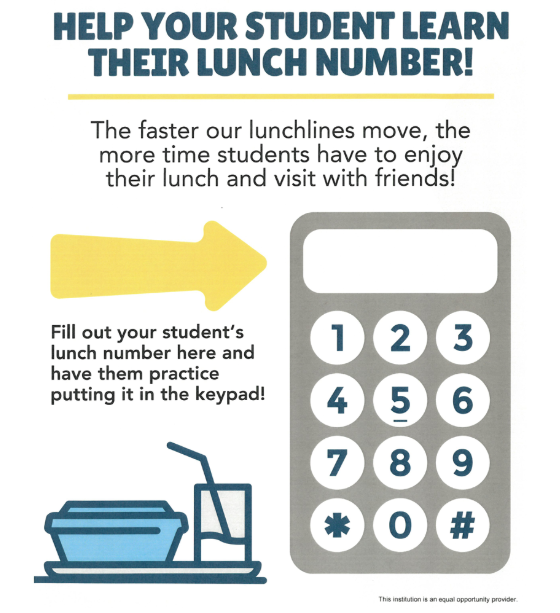
Help Your Student Learn Their Lunch Number! |
The faster our lunch lines move, the more time students have to enjoy their lunch and visit with friends! Please print out or save the graphic below, fill in your student's lunch number (student ID #), and practice putting it into the keypad before the first day of school. Staff will be available at Open House to assist you with your student's ID# if you do not have it. |
The MySchoolBucks app provides on-the-go access to your child's meal balances, purchases, and lets you make payments directly from your phone. You can manage lunch accounts by adding funds, setting up account automatic replenishment, and tracking purchases - all in one place. You can also pay for field trips, and a variety of school fees using your credit/debit card online or through the app. Benefit of MySchoolBucks Convenience - Available 24/7 on the web Efficiency - Eliminate the need to write checks and for students to bring money to school Flexibility - Make payments using credit/debit cards and electronic checks Security - MySchoolBucks adheres to the highest security standards, including PCI and CISP
Enrollment is easy!
To get started with MySchoolBucks for your school's communications and payments, visit the MySchoolBucks website or download the mobile app to create an account and sign up for free. 1. Go to the MySchoolBucks website or download the "MSB Parent" app from your device's app store. 2.Click "Sign Up for Free" and create a new account
Add your child using the name of the school they are attending, and either their student ID or birthdate. 3.You will receive a confirmation email that your account has been established. 4. Once your account is set up, you can add funds, view balances, and make payments for various school items and fees Customer Service Email: parentsupport@myschoolbucks.com 1-855-832-5226
Visit www.MySchoolBucks.com and click on Help/FAQ’s |
I wanted to reach out about student account balances at HES. We know that managing school costs can feel overwhelming, and we're here to help you stay on track with any payments. When students have unpaid balances for school expenses—such as classroom materials, technology, meals, and more—there may be some limits on their participation, as outlined in Policy JFI and Regulation JFI-R. These can include:
*Joining extracurricular activities *Attending dances and school events *Going on field trips *Receiving student records and transcripts
We'd love to work with you! Please reach out to us at 301-373-4350 to talk about your student's account, make a payment, or set up a payment plan that fits your situation. You can pay through MySchoolBucks, electronic payment, or check. Families with outstanding balances received a letter earlier this month with more details. |
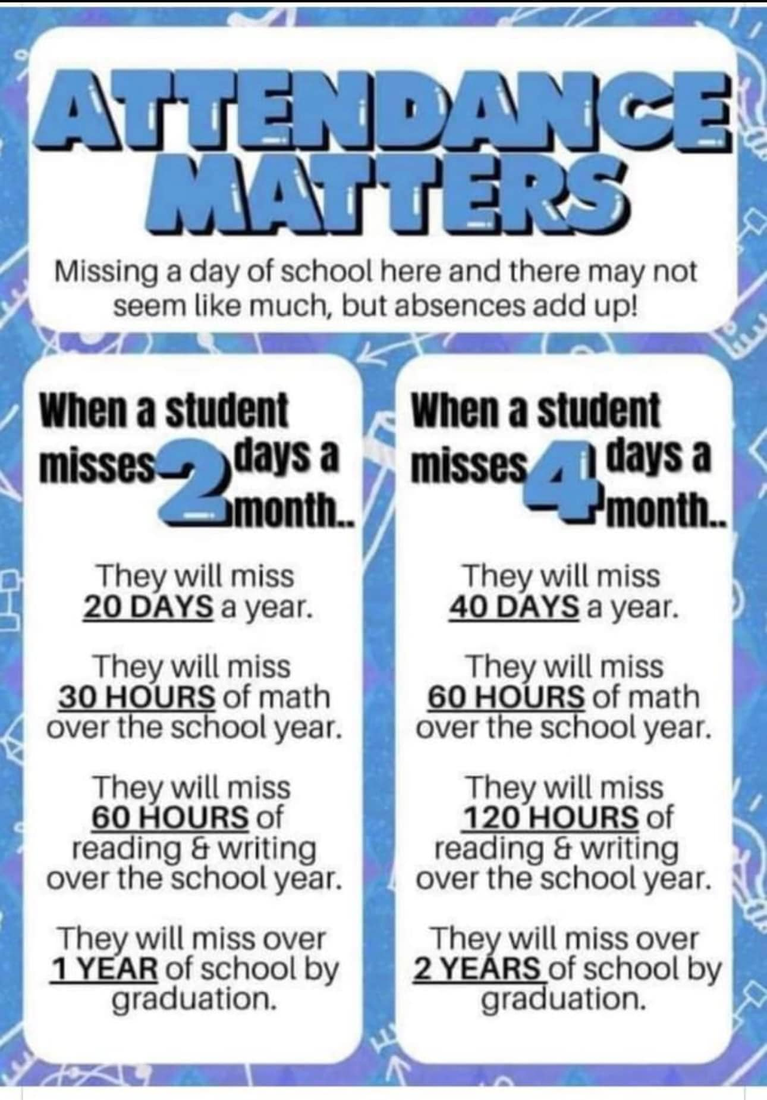
HES Herons have good ATTENDANCE! |
Reporting your student's absence online is highly recommended. It is an easy way to relay attendance information to school. This link is also available at the bottom of the HES website. |
SMCPS Resources & Helpful Links |
SMCPS Volunteer Application |
Both new and previously registered volunteers must complete a new volunteer application. The application process will end on May 1 of each school year. There is no application fee for school volunteers. Parental involvement is a key component to student success. Thank you for your support. |
Schoology is a very helpful tool and resource for teachers, students, and families. Please ensure that you are able to access Schoology for updates and information from the school and your child's teacher. If you need support in obtaining your Schoology log in information please email schoology@smcps.org for support. Please click Parent Notifications for directions to ensure your notifications are set to receive important information about your student.
Do you have the Schoology App? Log Into the Schoology Mobile App If you already have a Schoology account, download the Schoology app from Apple App Store, Google Play or the Amazon App Store. Tap the app icon to open it on your device. You can use an email address or username to log into the application, depending on how your account was set up: Log in through your School 1. Use the keyboard to enter SMCPS. As you type, matching choices populate in the list. The name, ID number, city, state, and zip code for the school should appear below. 2. Tap the name of your school or organization when it displays. 3. Use the email address or username to log in to the application that was sent to you via email from Schoology with an app password. If you are an SMCPS student or teacher, this is NOT your SMCPS password. 4. Tap LOG IN to complete.
If you are able to sign in with Google, and you are an SMCPS student or staff, please use that login process and follow the provided instructions in the prompts.
Want to enable notifications? Please check this document |
SMCPS Devices
Please review laptop expectations by sharing this presentation with your child. Classroom teachers will be reviewing laptop expectations with students at school as well. Thank you!
HES Laptop Expectations Need to purchase a laptop charger? You can do one of two things:
1. Email your child's teacher or the Library Media Specialist Miss Hazuda (sjhazuda@smcps.org) that you wish to pay for the missing laptop charger. A fine then can be assessed so that you can pay using My School Bucks, sending in cash, or a check (made out to SMCPS).
OR 2. Go directly to the DELL store. You can purchase directly from their website and have it shipped to your home. Ensure one of these links is being used:
www.dell.com/mpp/smcps (click Shop Recommended Solutions to get to the discounted power cords)
www.dell.com/mpp/smcps-chargers (leads directly to the purchasing portal)
If you purchase from Dell, please make sure that you label the charger with the student's first and last name before sending it to school. If you have any questions, please contact your child's teacher or the Library Media Specialist Miss Hazuda (sjhazuda@smcps.org).
|
Care & Responsibility of SMCPS Issues Recourses |
Students are responsible for the care and upkeep of all of their SMCPS-assigned resources, both print and technology. This newsletter and this document outlines all of the policies and procedures in addition to pricing for lost or damaged devices.
|
SMCPS 2026-27 Student Handbook and Code of Conduct—coming soon |
Instructional Resources for Families |
Looking for ways to support your child’s learning? MSDE’s Family Guides for Student Success outline the literacy and mathematics skills students are expected to master at each grade level from Pre-K through Grade 8 and provide helpful suggestions for supporting learning at home. Explore the guides at: https://marylandpublicschools.org/about/pages/dcipl/family-guides.aspx
|
Updates from Around the Herons Nest |
From the Main Office Ms. Armstrong & Ms.Wagaman... |
From School Councilor Ms. Overly... |
From Media Specialist Ms. Hazuda... |
From HES Special Area Teachers... |
Birthday treats present the potential for allergic reactions for many of our students. They also interrupt instruction. However, we understand that some students enjoy celebrating their birthday with their friends at school. Because of all of these factors, birthday treats may NOT be edible. Gift bags with stickers, pencils, crayons, erasers, and/or other small toys are acceptable. They can also be shared at recess or the end of the day, which doesn’t compromise instructional time. Parents who wish to provide birthday treats to a class are asked to notify the homeroom teacher in advance and to drop them off in the front office as early as possible.
|
|
|
|