| Thank you for a fantastic year at PPES!
I’m so proud of how much our students have grown, the progress they’ve made, and the achievements they’ve earned this year. Their dedication, resilience, and love of learning have made this year memorable. PPES is an exceptional community, and I’m honored to serve as your principal. Thank you for trusting us with your children and for letting us share in their learning journey. It’s a pleasure to work with such committed students, families, and staff.
We deeply value your partnership, involvement, and ongoing support. Together, we’ve built a caring, strong school community where students can flourish. Wishing all PPES families a safe, restful, and fun-filled summer. We can’t wait to welcome you back in the fall!
Parents of 3rd, 4th, and 5th grade band and strings students—Unless you were contacted by Dr. Smith before the end of school, you were placed in your first choice of class and instrument. This summer newsletter will share a few previews about the year ahead. Enjoy your summer! Mrs. Zeier :) |
|
|
Summer Meals Program 2026 | |
|
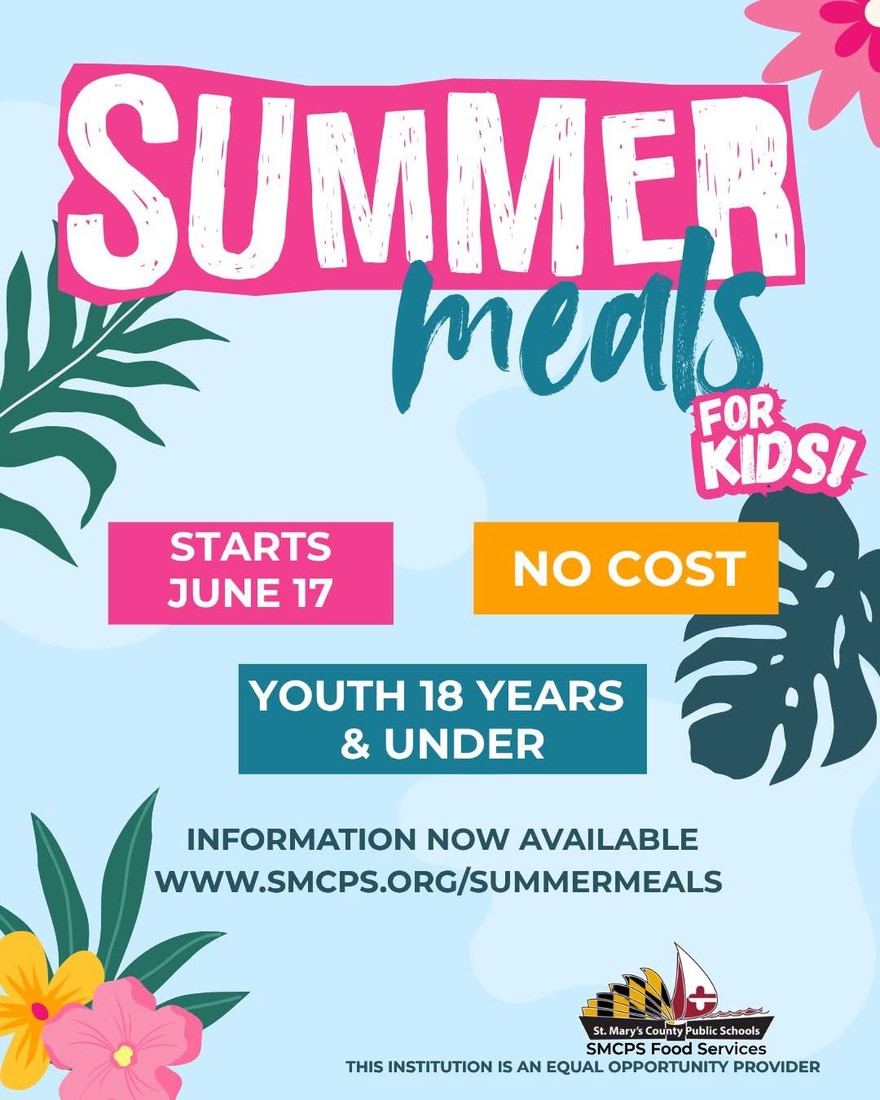
St. Mary’s County Public Schools Food & Nutrition Services is pleased to announce the return of the 2026 Summer Meals Program beginning Wednesday, June 17, 2026, through Wednesday, August 19, 2026.
Free meals for children under 18
Weekly 7-day meal packs
Includes breakfasts, lunches, fruits, vegetables, and milk
Registration required
Meal Pickup Days: Wednesdays
Pickup Times:
• 12:00 PM – 2:00 PM
• 3:00 PM – 5:00 PM
Pickup Locations:
• Oakville Elementary School
• Park Hall Elementary School
• Spring Ridge Middle School
Margaret Brent Middle School will serve as an additional pickup location for families who qualify for Free & Reduced Price Meals.
Important Reminders:
• Participants must take the entire meal pack
• Meals must be picked up by a parent or guardian
• Pre-registration closes Friday, June 12 at 2:00 PM
• Families who miss pre-registration may register on-site during pickup times, but children must be present
Register here:
https://www.cognitoforms.com/StMarysCountyPublicSchools1/SummerMealsSignUp2026
Learn more about meal benefits:
https://www.smcps.org/summermeals
Menus coming soon:
https://smcps.nutrislice.com/menu |
|
|
The MySchoolBucks app provides on-the-go access to your child's meal balances, purchases, and lets you make payments directly from your phone. You can manage lunch accounts by adding funds, setting up account automatic replenishment, and tracking purchases - all in one place. You can also pay for field trips, and a variety of school fees using your credit/debit card online or through the app. Benefit of MySchoolBucks Convenience - Available 24/7 on the web Efficiency - Eliminate the need to write checks and for students to bring money to school Flexibility - Make payments using credit/debit cards and electronic checks Security - MySchoolBucks adheres to the highest security standards, including PCI and CISP
Enrollment is easy!
To get started with MySchoolBucks for your school's communications and payments, visit the MySchoolBucks website or download the mobile app to create an account and sign up for free. 1. Go to the MySchoolBucks website or download the "MSB Parent" app from your device's app store. 2.Click "Sign Up for Free" and create a new account
Add your child using the name of the school they are attending, and either their student ID or birthdate. 3.You will receive a confirmation email that your account has been established. 4. Once your account is set up, you can add funds, view balances, and make payments for various school items and fees Customer Service Email: parentsupport@myschoolbucks.com 1-855-832-5226
Visit www.MySchoolBucks.com and click on Help/FAQ’s |
| |
|
|
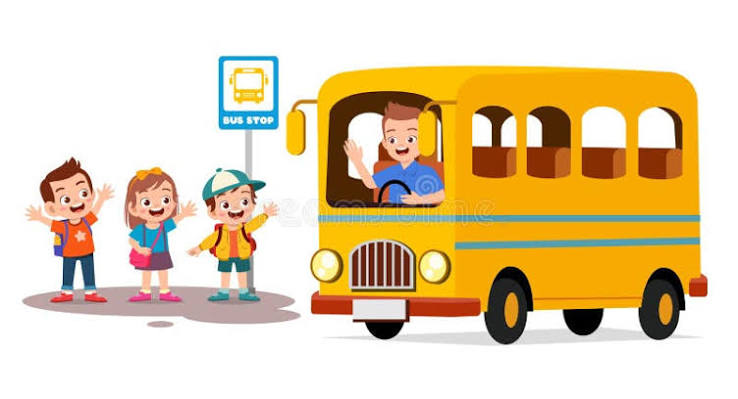
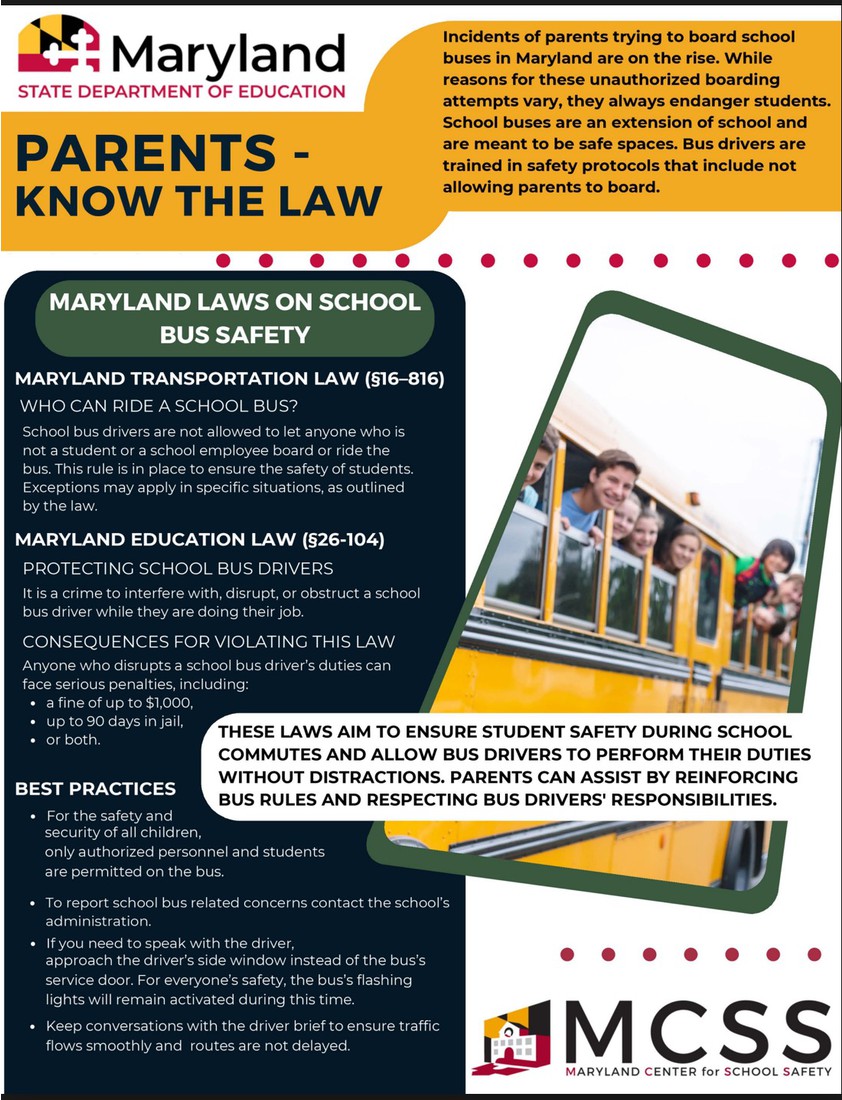
Welcome to a new school year! We are excited to have your young Beacon at PPES The safety of your student is of the utmost importance. This includes the bus ride to and from school. In order to support our dedicated bus drivers in achieving this goal, please review the St. Mary’s County Public Schools procedures on dropping off Pre-Kindergarten and Kindergarten students at bus stops in the afternoon:
To ensure safety, a responsible person (at least 13 years old) must be on time to meet the bus at the bus door at the assigned stop for Pre-Kindergarten and/or kindergarten students. This includes morning and midday loading along with midday, afternoon, and evening unloading.
When a responsible person is not available to receive a Pre-Kindergarten and/or Kindergarten student on a return trip home, the driver will return the student to the school. Parent(s)/legal guardian(s) will be notified by the principal to come and pick up their child from the school. The school administrator will discuss this concern with the parent(s)/legal guardian(s).
If a second incident occurs, the child will be returned to the school, and the parent(s)/legal guardian(s) will be notified to pick up their child at school. The regulation will again be reviewed with the parent(s)/legal guardian(s). The school administrator will mail a follow-up letter to the family indicating that a third incident may result in the loss of transportation privileges.
If a third incident occurs, the child will be returned to school. Parent(s)/legal guardian(s) will be notified to pick up their child at school. Transportation privileges will be revoked at that time. A written notice will be mailed to the family by the principal.
Please review this information in the SMCPS Student Handbook. Feel free to contact the Transportation Department or Dr. Smith, PPES assistant principal overseeing buses, at 301-373-4350 ext. 30110 or alsmith@smcps.org with questions on these procedures. |
|
|
SMCPS Resources and Helpful Links | |
|
St. Mary's 2050 CHarting Our Tomorrow Plan | |
|
St. Mary’s County has released the first draft of the St. Mary’s 2050: Charting Our Tomorrow plan — and family voices matter! This long-range plan will help guide how our community grows and preserves what makes it special for today’s students and future generations. Open Houses are being scheduled for February and March and we encourage all families to stay involved and help shape the future of St. Mary’s County. For more information on Open Houses and to review the draft St. Mary’s 2050 plan, visit: www.stmaryscountymd.gov/stmarys2050.
|
|
|
Reporting your student's absence online is highly recommended. It is an easy way to relay attendance information to school. This link is also available at the bottom of the PPES website. |
|
|
| If you have any questions about your HAC account, please contact the PPES office for assistance.
https://www.smcps.org/hac Please note that HAC opens at 5:00 pm on TBD |
|
|
Schoology is a very helpful tool and resource for teachers, students, and families. Please ensure that you are able to access Schoology for updates and information from the school and your child's teacher. If you need support in obtaining your Schoology log in information please email schoology@smcps.org for support. Please click Parent Notifications for directions to ensure your notifications are set to receive important information about your student.
Do you have the Schoology App? Log Into the Schoology Mobile App If you already have a Schoology account, download the Schoology app from Apple App Store, Google Play or the Amazon App Store. Tap the app icon to open it on your device. You can use an email address or username to log into the application, depending on how your account was set up: Log in through your School 1. Use the keyboard to enter SMCPS. As you type, matching choices populate in the list. The name, ID number, city, state, and zip code for the school should appear below. 2. Tap the name of your school or organization when it displays. 3. Use the email address or username to log in to the application that was sent to you via email from Schoology with an app password. If you are an SMCPS student or teacher, this is NOT your SMCPS password. 4. Tap LOG IN to complete.
If you are able to sign in with Google, and you are an SMCPS student or staff, please use that login process and follow the provided instructions in the prompts.
Want to enable notifications? Please check this document |
| |
|
SMCPS Volunteer Application |
|
|
|
Both new and previously registered volunteers must complete a new volunteer application. The application process will end on May 1 of each school year. There is no application fee for school volunteers. Parental involvement is a key component to student success. Thank you for your support. |
|
|
You can do one of two things:
1. Email your child's teacher or the Library Media Specialist Miss Hazuda (sjhazuda@smcps.org) that you wish to pay for the missing laptop charger. A fine then can be assessed so that you can pay using My School Bucks, sending in cash, or a check (made out to SMCPS).
OR 2. Go directly to the DELL store. You can purchase directly from their website and have it shipped to your home. Ensure one of these links is being used:
www.dell.com/mpp/smcps (click Shop Recommended Solutions to get to the discounted power cords)
www.dell.com/mpp/smcps-chargers (leads directly to the purchasing portal)
If you purchase from Dell, please make sure that you label the charger with the student's first and last name before sending it to school. If you have any questions, please contact your child's teacher or the Library Media Specialist Mr. Rushworth (rirushworth@smcps.org).
Care & Responsibility of SMCPS Issues & Resources
Students are responsible for the care and upkeep of all of their SMCPS-assigned resources, both print and technology. This newsletter and this document outlines all of the policies and procedures in addition to pricing for lost or damaged devices.
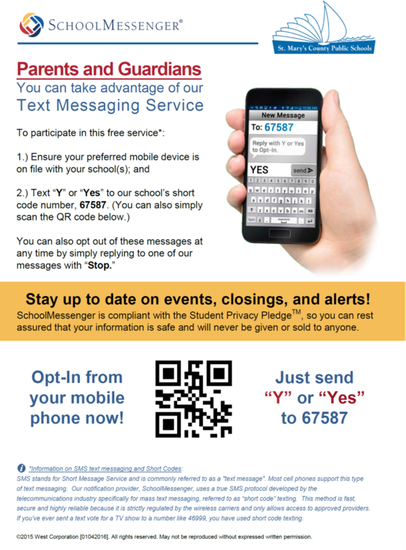
School Messenger Text Messaging
School Messenger Text Messaging FAQ's |
| |
|
|
Birthday treats present the potential for allergic reactions for many of our students. They also interrupt instruction. However, we understand that some students enjoy celebrating their birthday with their friends at school. Because of all of these factors, birthday treats may NOT be edible. Gift bags with stickers, pencils, crayons, erasers, and/or other small toys are acceptable. They can also be shared at recess or the end of the day, which doesn’t compromise instructional time. Parents who wish to provide birthday treats to a class are asked to notify the homeroom teacher in advance and to drop them off in the front office as early as possible.
|
|
|
|